Practices To Foster Inclusion and Accessibility in Programming Teaching
accessibility-and-inclusion, student-engagement, pair-programming, flipped-classroom
Introduction
We believe that learning programming should be a truly equitable and inclusive process, in which all students are able to take part and succeed. In order to achieve this, we — as programming educators — must continually and critically assess the fundamentals of our teaching techniques. In this chapter, we will first briefly discuss what makes teaching accessible or inaccessible for different groups of students (including but not limited to disabled students and students learning in an additional language), before reviewing different pedagogical approaches often used in teaching programming in light of these principles. These reflections are intended to empower educators to adapt and innovate rather than to act as a prescriptive guidebook.
There are three main aspects to consider when making programming teaching accessible: 1. making the workspace accessible, 2. making the instruction accessible, and 3. considering the implications of the method of delivery. Most universities have a student disability office, who can provide advice on making course materials accessible and will often help students to gain access to assistive technology software. Advice might include making sure to use tagged PDFs or Markdown, or whichever typeface, size and colour combinations are best for use on a presentation. However, these offices may be less familiar with helping students to access programming environments. For some students, simply changing the editor theme will be sufficient. Others may need to experiment with different editors to find one which works with their assistive technology (see e.g. Kramer (2024)). We will not discuss this any further here, but instead refer readers to resources such as Hadwen-Bennett, Sentance, & Morrison (2018).
In this chapter, we focus on the implications of methods of delivery to the accessibility of programming teaching. Along the way, we identify where adaptations to a particular method might make it more suitable or accessible for a certain group of learners. The pedagogical framework that we use (knowingly or unknowingly) to organise our teaching sessions can impact the accessibility of our teaching: we can consider a continuum from transmissive learning (in which knowledge is “transmitted” to students by instructors e.g. through direct instruction) to student-led, discovery based learning (often based on a constructivist model). Programming is a subject which could lend itself well to authentic problem based learning wherein students construct their own knowledge. However, this can present additional barriers to neurodivergent students, who often experience a higher cognitive burden whilst completing discovery-based learning tasks compared to tasks where they were explicitly directed on what to focus on, and compared to their neurotypical peers (Gabay, Jacob, Mansour, & Hertz, 2025). Problem solving, which is inherent in discovery based learning, places a large burden on working memory (Sweller, 1988) which neurodivergent individuals may have weaknesses in (Maehler & Schuchardt, 2016). Discovery based learning may also be more suited to expert learners, who have a bank of pre-existing knowledge to work from, than to novices (Kirschner, Sweller, & Clark, 2006). This illustrates how teaching using a different pedagogic framework can be accessible for different groups of learners.
Some students may find it hard to generalise, or to engage when examples are not relevant to their chosen domain. Consider gathering feedback on student interests, learning preferences, and backgrounds through a pre-course survey, in order to curate relevant examples and case studies that resonate with student experiences (Kahu, Nelson, & Picton, 2017). Engaging students in building course content signals that their opinions shape the course content, fostering a sense of community and ownership. Pre-course surveys also give another opportunity for students to disclose any disabilities or access needs. Some students may not have access to a suitable device either for in class or out of class activities. Asking about device access in a pre-course survey can help to find solutions (e.g. a loaner laptop or finding a combination of software which works with any assistive technology) before classes begin.
A key aspect of making content accessible is considering cognitive load. In this, the cognitive engagement a task requires can be divided into ‘intrinsic load’ (the inherent difficulty of the task), ‘germane load’ (the work put into creating a permanent store of knowledge) and ‘extraneous load’ (the way information is presented) (Paas, Renkl, & Sweller, 2003; Sweller, 1988). Everyone has a limit to their working memory, and when the total cognitive load exceeds this, learning is impacted. The germane and extraneous load of a task can vary between learners (for example due to neurodivergence (Le Cunff, Giampietro, & Dommett, 2024) or due to learning in an additional language) and is also influenced by how material is presented. In the chapter, we discuss some ways that educators can manage the extraneous load in their classrooms, to ensure that students have capacity to engage in the germane load of building long-term mental schemas of programming logic (Sweller, 1994).
Generally, designing teaching sessions and materials around Universal Design for Learning (UDL) principles helps maximise accessibility. UDL centers on students having agency and designing materials to have multiple options for representation, engagement and action (CAST, 2024).
Ordering of Material
In teaching programming there are different approaches to how material is presented. For example, Selby identifies four approaches: 1. code analysis, 2. building blocks, 3. simple units and 4. full systems (Selby, 2011). Code analysis begins with students analysing and understanding existing code before going onto writing pseudocode. Only later do students write full programs. This approach provides a structured way for students to first focus on programming logic before having to worry about syntax, which may reduce cognitive load. However some students may struggle with knowledge transfer between writing pseudocode and writing compilable code (Glaser, Hartel, & Garratt, 2000).
In other approaches (building blocks and simple units), students learn small units of code (individual constructs or set coding “phrases” respectively) and gradually build up to writing longer programs. These can lead to fragmented understanding, where students are not sure how to combine the components introduced together, and the early focus on syntax may be overwhelming for some (Selby, 2011). However, it does allow students to build up a toolbox of reusable code, which they can then apply in other scenarios, reducing the amount of recall and typing of precise syntax which is required which may pose a challenge for some students. The final approach that Selby (2011) outlines is full systems, where students are immersed in a real-life problem and programming concepts are introduced as needed. This is close to the discovery-led learning discussed previously.
Classroom Models
These different approaches to teaching programming can be delivered in different ways. We have identified six different classroom models, though there is significant overlap and they are not mutually exclusive. We will now discuss each approach in turn, identifying what makes them accessible, and where they may present an accessibility barrier. Where possible, we identify possible modifications to the model to increase accessibility.
Participatory Live Coding
Live coding involves an instructor writing code live at the front of the classroom, whilst narrating what they are doing. It becomes participatory by students following along, writing and executing code at the same time (Nederbragt, Harris, Hill, & Wilson, 2020). Participatory live coding has many advantages, hence why it forms a key tenet of the Carpentries approach to teaching coding (The Carpentries, 2025). For many students, watching someone code and following along is far more engaging than watching someone present a slide deck. In particular, it allows students the chance to ask questions and for the instructor to respond and adapt the teaching accordingly.
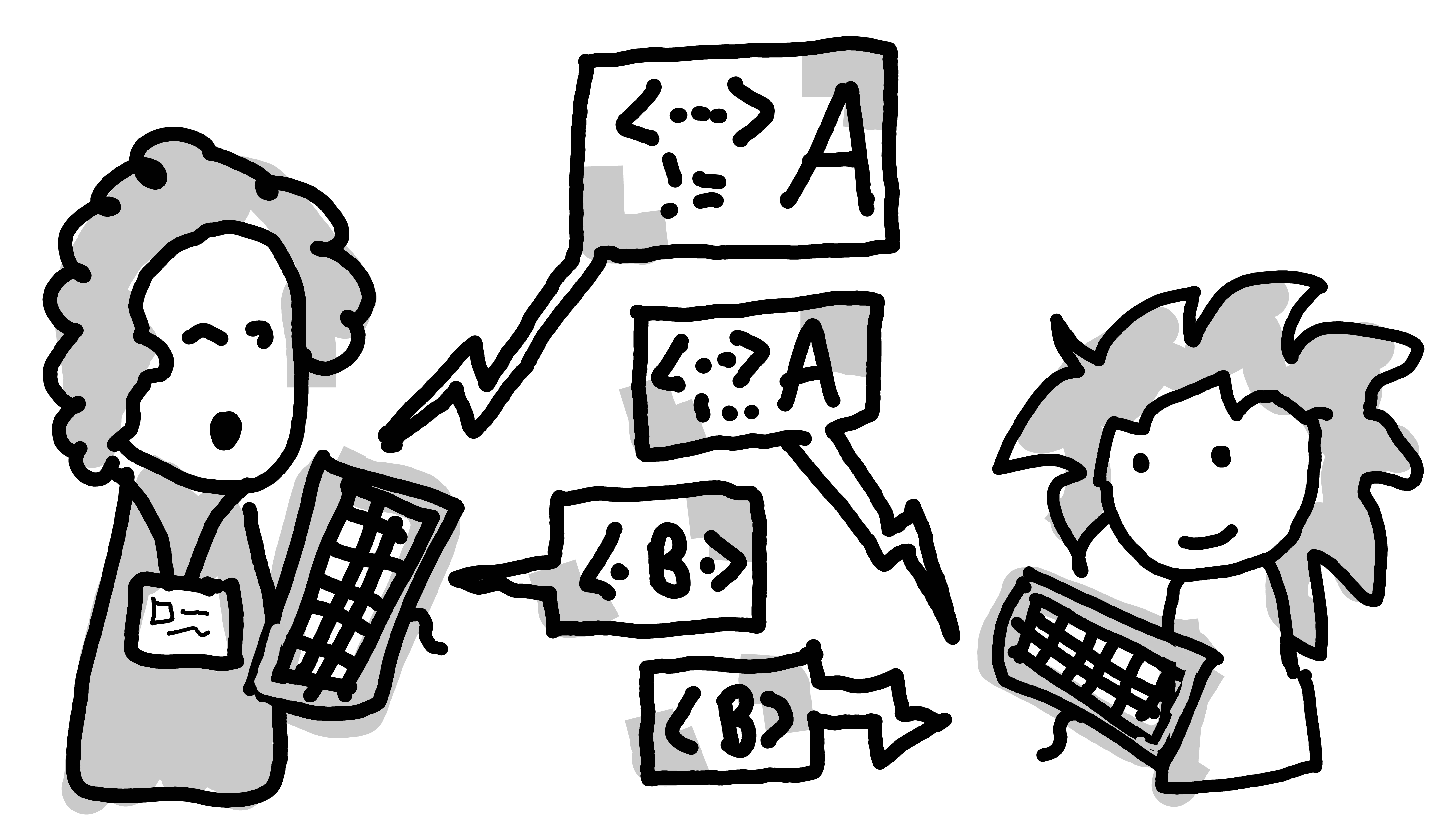
The instructor needing to type out code also reduces the pace of instruction: it is all too easy to quickly flash up some code on a slide, and have moved onto the next slide before the student has been able to write it down, which is a problem if slide decks are not provided in advance. Equally, it helps keep students on track. The lesson progresses at a set pace reducing the opportunity for students to take exit ramps or get lost on an unrelated tangent. However, the set pace can be an accessibility barrier for some, as it still depends on the instructor being able to judge an appropriate pace that will not leave students behind. Some students may require a slower pace than others, for example dyslexic students may struggle to accurately copy down material from the screen and so will need more time to do this (Blampain, Gosse, & Van Reybroeck, 2021).
As well as students requiring different amounts of time to copy down information from the board, some may find this difficult or impossible to do. The participatory live coding approach is particularly challenging for students who use a screen-reader, since they would have to balance auditory input from their computer with the instructor talking. To modify the approach for students who cannot see the board or accurately transcribe material, the instructor could provide code snippets or help people follow along using a git repository and tags (Bostian, 2019; Sutton, 2018). A collaborative notes document may be another approach. These ideas reduce the need for students to copy from the board, instead following along with small code chunks at a time. Students are also aided by the instructor making sure they verbally describe the actions and perhaps even dictating each word they type. This helps students follow along without needing to look up for each word typed.
In a participatory live coding approach, students also benefit from watching how the instructor codes: they are able to model the approach to a problem and the making and solving of mistakes. Explicitly modelling problem solving is particularly helpful for neurodivergent or anxious students for whom arriving at an error, mistake or block may become a barrier for learning rather than an opportunity.
Some students may benefit from switching to a flipped classroom approach where the instructor is pre-recorded doing a small chunk of coding (see A video introduction to live coding part 2 (2021) for an example of a single chunk), and students can follow along. This could either be done in the classroom, with instructors on hand to help students as needed, or be done at home and the classroom time be dedicated to longer problems. This approach also allows for students to turn on captions if needed. Alternatively, the session could be live streamed, so students can see the projected screen more easily on their own computers, adjust the volume and can turn on captions if they wish, whilst still being able to ask questions.
Pair Programming
Instructors may want to include time where students independently solve programming problems, either as part of a broader lesson, or as part of inquiry based learning. One way to do this is through pair-programming, where students work in pairs to solve a problem, each taking turns to be the ‘driver’ and the ‘navigator’. This concept is discussed in more detail in another chapter in this book (Desvages, Blankinship, Noè, & Orzechowski, 2026) - CLICK HERE TO READ ONLINE. Pair programming has been found to lead to better outcomes in introductory programming courses compared to courses where students program alone (Faja, 2014; Hanks, Fitzgerald, McCauley, Murphy, & Zander, 2011).
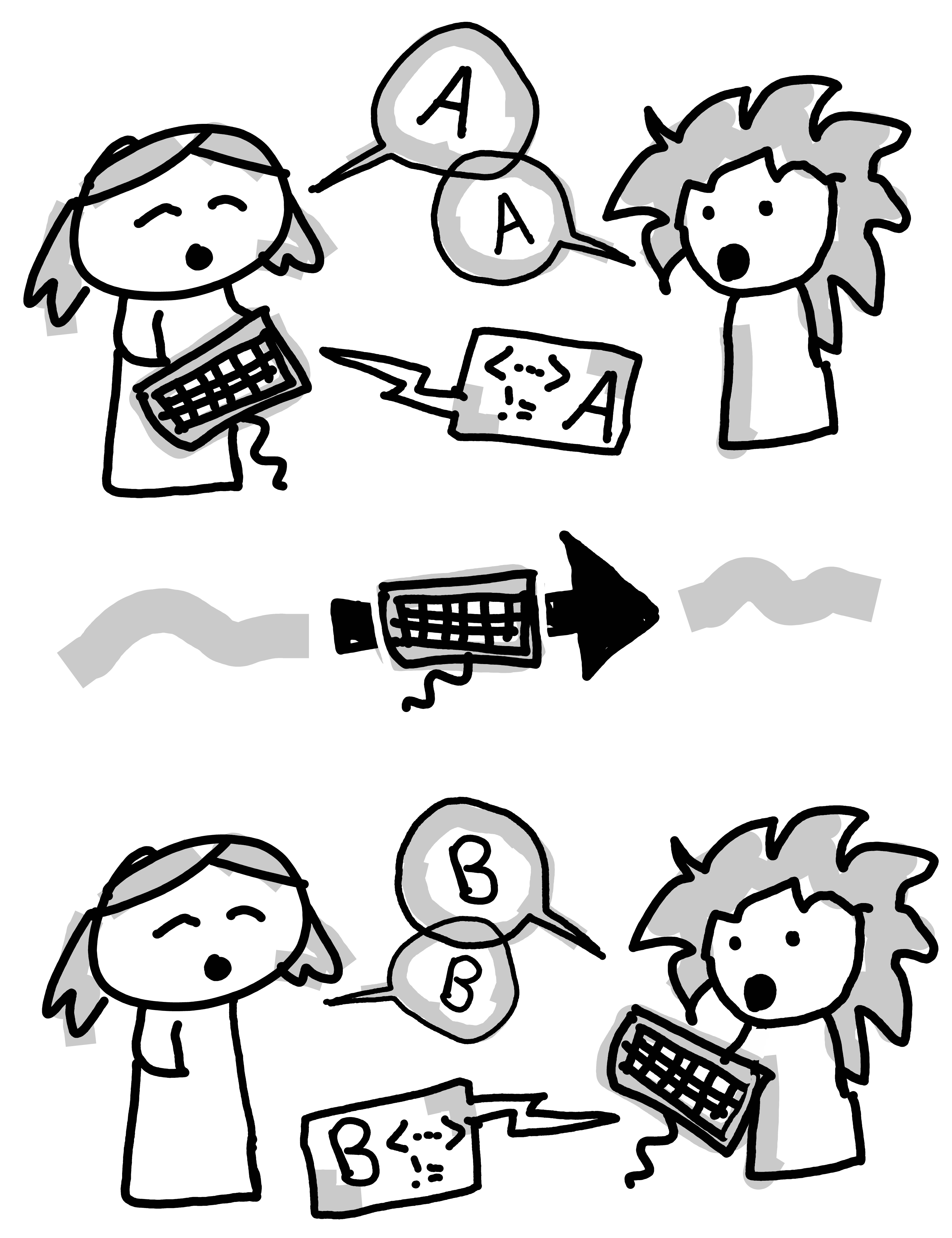
A key advantage of pair programming is that it allows students to see different approaches to solving the same problem. For weaker or less confident students, this can help them build confidence and can model how to break down a problem. However, for others, students may compare themselves negatively to one another. One way to alleviate this is to switch partners around, which allows students to see different strengths and weaknesses in coding. For students who struggle to keep focussed, pair programming can be helpful, since both students are required to maintain active engagement with the task, frequently switching roles. It can also help keep students on task and working at the right pace, if the pairs are chosen carefully.
Pair programming can also serve to reduce the cognitive burden on students (Tsai, Yang, & Chang, 2015) by allowing students to distribute tasks of high and low cognitive burden amongst themselves (Sands, 2019; Winkler & Flatscher, 2023). In classrooms where students have varying levels of experience with programming, pairs could consist of an expert and a novice where the expert (who would ordinarily experience lower extraneous load due to familiarity e.g. with the programming environment) can take on more of the extraneous tasks, allowing the novice to have more capacity for germane cognitive load.
A 2023 study from the University of Toronto Scarborough (Ali & Joordens, 2023) found that there has been an increase in social anxiety amongst both higher education students and adolescents since the COVID-19 pandemic. Socially anxious students can experience anticipatory anxiety, impacting their abilities to communicate effectively with others and negatively impacting on their cognitive and emotional engagement. This could be reduced through the use of small-group icebreakers in sessions prior to the introduction of pair programming. These activities help build a sense of familiarity and community within the learning environment, potentially reducing levels of anxiety (Archbell & Coplan, 2022).
Whilst pair programming can reduce some of the cognitive load of programming, it can also introduce new sources of extraneous cognitive load since students now need to manage the social interaction associated with group work. It is therefore important to scaffold the task and provide a framework for how students should give feedback or interact during the exercise. This could look like modelling pair programming as part of the ‘lecture’ or by clearly explaining what will happen during the task. It should also include clearly signposting when switches in role and task will happen. Students may also try to impose one way of solving a problem as the ‘correct’ way, making it difficult for (neurodivergent) students who think differently, and expectations around this should be set during the task introduction.
Pair programming is often thought of as two people using one computer, switching over who is physically typing on the keyboard. However, students may find it difficult to use a computer with someone else’s accessibility settings. It can therefore be helpful to use a shared workspace but on separate computers, so long as it is clear who is ‘driving’ at any given time. Students may need to balance working on the screen with auditory input which may be difficult for D/deaf or hard of hearing students or those who use a screen-reader. Some students may need their pair to work in a separate room to reduce background noise, which may be easier if pair-programming is being done virtually (e.g. through the use of breakout rooms).
Explicitly Modelling Problem Solving
When learning to program, whether in a classroom setting or independently, it is essential to recognise that programming is fundamentally about problem-solving and critical thinking as discussed by Govender (Govender, 2007). The syntax of a programming language varies between languages, but what truly matters is developing the ability to think systematically about a problem and design an effective solution. Explicit modelling of the different stages in problem solving can be helpful for many students.

A helpful analogy is preparing a cup of tea. There are countless variations: some people prefer milk, others like sugar; some want herbal, others like it strong. The method you use depends on the preferences of the person you are making it for and any constraints involved (available ingredients, desired strength, etc.). You begin by understanding the requirements, clarifying constraints, and considering expectations, then decide on the steps to achieve the desired result. Programming is similar: syntax is just the final step in communicating a solution, but the real issue is clear thinking and structured planning.
The process of problem solving can be broken down into several steps. Some students will automatically do this, whilst others (particularly those who struggle with executive dysfunction) will benefit from modelling of the different stages and being provided with a checklist to follow:
- Understanding the problem
- Identifying constraints
- Identifying the expected inputs
- Considering the target audience or users
- Clarifying expectations
- Knowing about the desired outcomes (outputs)
- Designing the solution
- Testing possible solutions
- Troubleshooting and refining the approach
By foregrounding problem-solving instead of syntax, students can focus on creative and strategic thinking, which lowers barriers for those who might lack confidence with coding rules. However, not all learners will find abstract planning easy; some thrive by diving straight into code. For these learners, scaffolding the design stage can be helpful. Progressing from checklist to pseudocode, flowchart, and code supports learners with diverse preferences and reinforces both problem solving and implementation skills.
Accessible and inclusive programming education goes far beyond teaching language syntax. Focusing on a structured problem-solving process supports learners in developing analytical thinking, creativity, and confidence. By integrating scaffolding tools such as flowcharts, pseudocode, and concrete examples, educators can create a classroom environment where all students feel equipped to participate and succeed. Encouraging learners to think critically about problems, consider target audience and constraints, and work systematically before coding is important.
Discovery Based Learning
As we discussed in the introduction, instructors may prefer to use a discovery-based learning approach rather than the more direct-instruction that could lend itself well to participatory live coding. We previously discussed the cognitive load inherent in discovery based learning, but here consider other aspects of accessibility for this method of teaching.
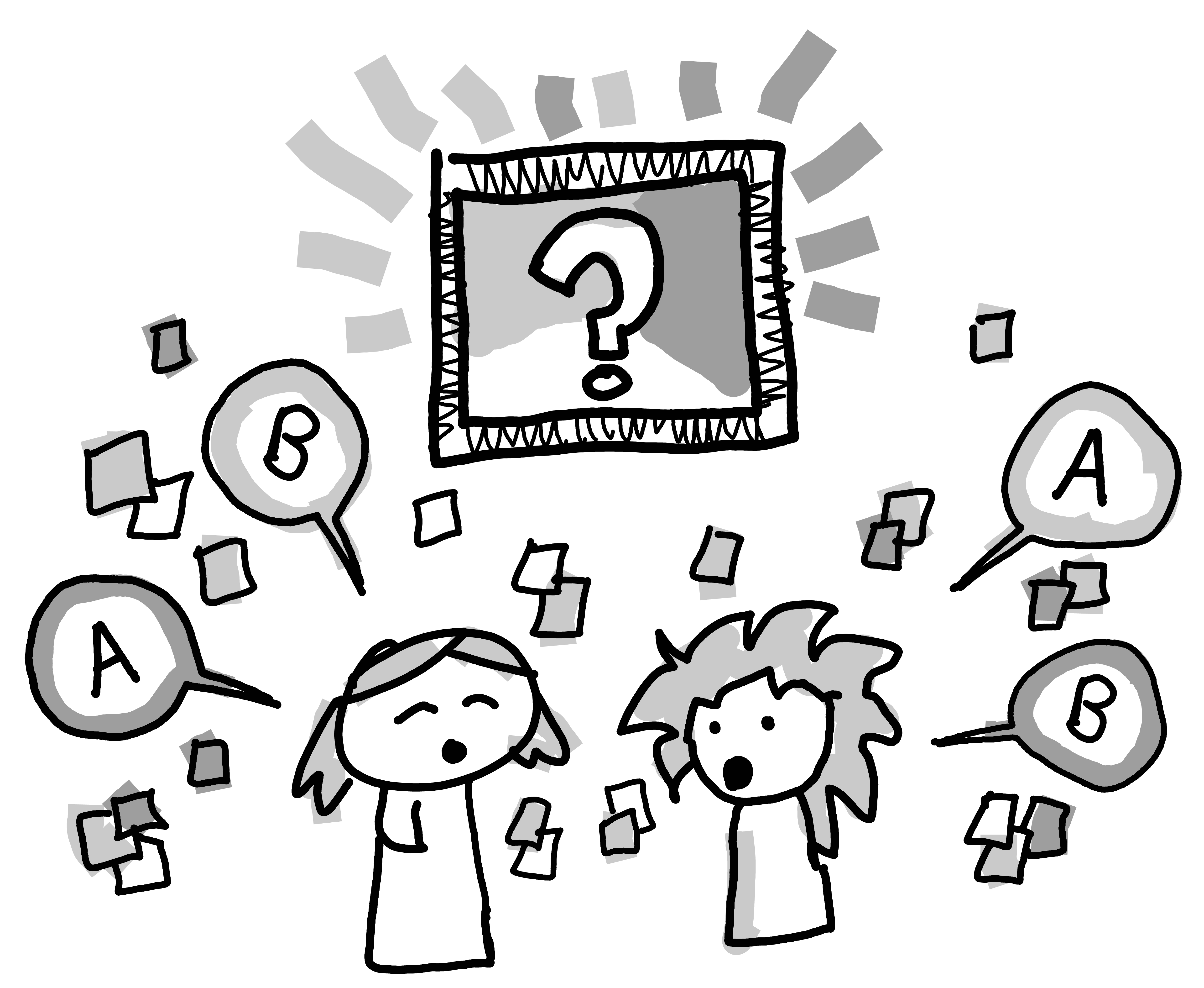
The advantage of discovery based learning is that students have a reason for everything they learn. When students arrive at a problem, or need a new tool, they discover what is most suitable, and this can be more motivating to some students. However, some students may be overwhelmed by the scale of the task and struggle to break down a problem into manageable chunks. Part of the solution to this is making sure students are comfortable asking questions, rather than feeling like they have been ‘abandoned’ to teach themselves. This can be aided by having enough instructors and offering less obtrusive ways to ask questions, for example using a webchat or post-it note flag system. It may also be helpful to combine discovery based learning with some modelling of problem solving in a larger group. Another approach is to combine discovery based learning with pair-programming, with the inherent advantages and disadvantages we previously discussed. Finally, some students may struggle with the generalisation required and transfer to long-term memory: they may successfully identify a tool as suitable for this problem, but when it comes to the next problem they may start from scratch rather than being able to apply their existing knowledge. Part of this is developed with repeated exposure to different problems, but prompts from instructors may also help students realise how ideas can be generalised.
‘Traditional’ Lecture and Lab Sessions
The ‘traditional’ model of a lecture with a lab/practical session (e.g. Prather & Schlesinger, 1978) combines instructor-led teaching with an opportunity to partake in practice of the material and/or discovery based learning. However, in the lecture session concepts or ideas may be introduced at a pace where some students become anxious about trying to process large amounts of content in real-time. This can be exacerbated by the use of dismissive language such as “just” or “even a monkey can do…”. In addition, neurodivergent students can struggle to retain focus when there is a lot of information or lack of interaction.
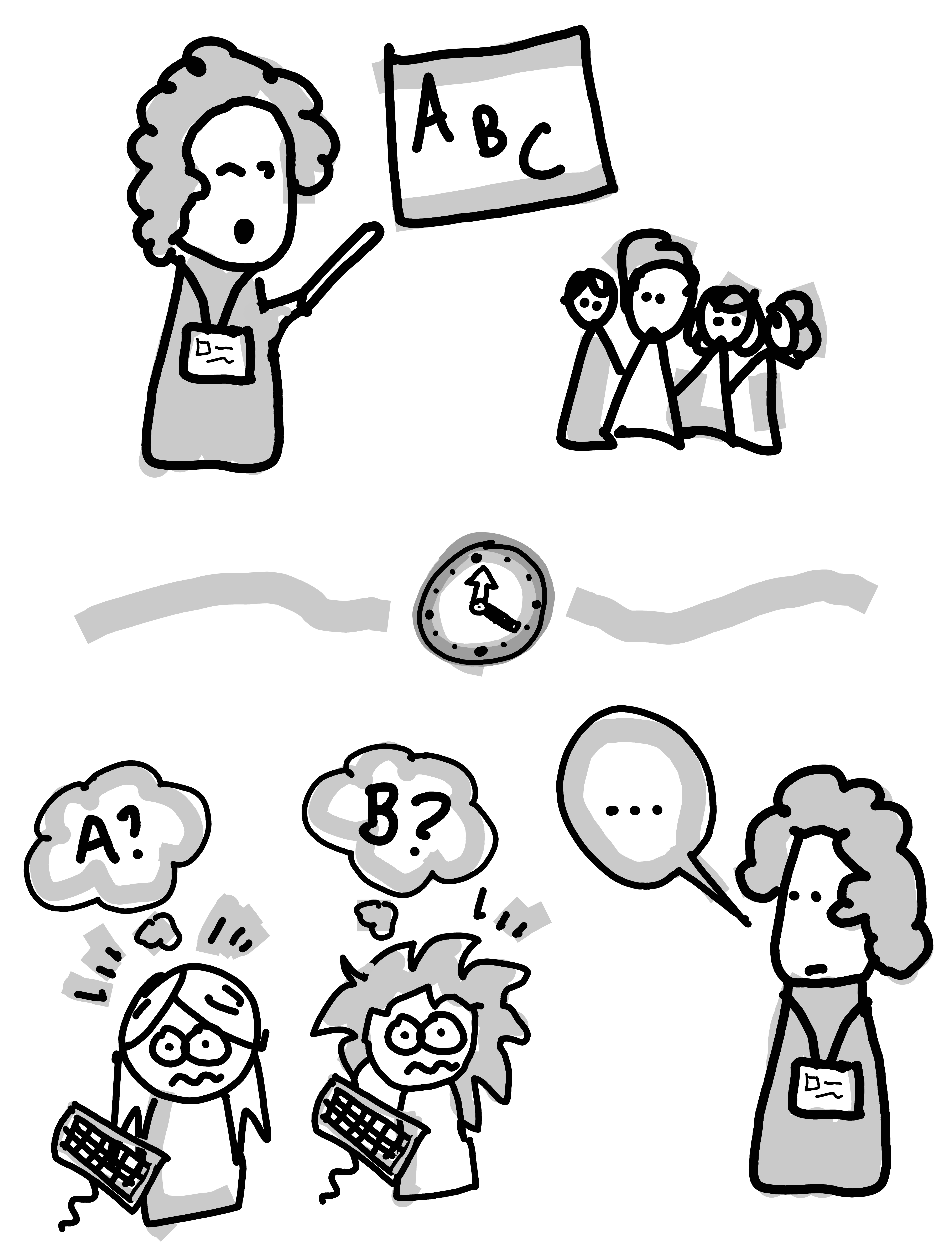
The accessibility of lecture sessions can be improved by providing the session materials in advance. This enables students to engage with them at their own pace and identify any questions they may have for the lecture session. In addition, the inclusion of interactive components in the lecture session such as anonymous quizzes or discussions, enables reinforcement of learning without potentially causing discomfort amongst neurodivergent learners. However, it is important to be mindful that too much interaction may lead to cognitive overload. The regular use of lecture capture can make recordings available to students to review content as and when needed, reducing the risk of anxiety from a fear of not being able to keep up.
When done well, the combination of lecture and lab sessions can help facilitate the navigation of the liminal space between a threshold concept being introduced and it being understood. Our learners, may not navigate this linearly, but will go through the stages of developing:
- an abstract (or theoretical) understanding of a concept;
- a concrete (or applied) understanding — the ability to write a computer program, for instance;
- the ability to go from an understanding of the abstract concept to software design or concrete implementation;
- an understanding of the rationale for learning and using the concept; and
- an understanding of how to apply the concept to new problems — problems beyond those given as homework or lab exercises (McCartney et al., 2009).
Knuth (1991) spoke about the close relationship between theory and practice as follows:
“The main point I want to emphasize […] is that both theory and practice can and should be present simultaneously. Theory and practice are not mutually exclusive; they are intimately connected. They live together and support each other.” (Knuth, 1991, p. 3)
The interaction between theory and practice can be promoted through careful design of lab instructions so they highlight key concepts and links that students should explore during the lab.
Some students may struggle with moving from theory to practice. They may make a sequence of unsuccessful attempts to implement, and iterate on, a solution, or get stuck in theory-oriented discussions without trying any of their ideas in practice. To alleviate this risk and support connections between theory and practice, an educator could intersperse references to manual and guidance materials within a task or problem sheet, ensuring relavance and ease of use for novice learners in particular. Instructors can also include reminders that students should save, compile and run their code regularaly, even if it is not yet working as intended (Eckerdal, Berglund, & Thuné, 2024).
Flipped Classroom
An alternative approach to structuring learning is the flipped classroom model, wherein students engage with learning materials before class, and classroom time is used to engage in problem solving activities (Advance HE, n.d.; Bergmann & Sams, 2012). By providing learning materials in advance (most commonly through pre-recorded videos, although this may also be in the form of text or audio), students can engage at their own pace. For some students, removing any time pressure enables them to better engage with the material, since they can pause to take notes, take a break or consult other materials during the course of the ‘lecture’. However, effective use of the flipped classroom requires students to engage with the material before class (Forsey, Low, & Glance, 2013; Gross, Pietri, Anderson, Moyano-Camihort, & Graham, 2015; Moraros, Islam, Yu, Banow, & Schindelka, 2015) and some students may struggle with the lack of direction, either not engaging with the material or becoming distracted by tangents. In a flipped classroom model, it is particularly important to ensure that the structure and signposting of materials is clear, as this can easily become a source of confusion for students.
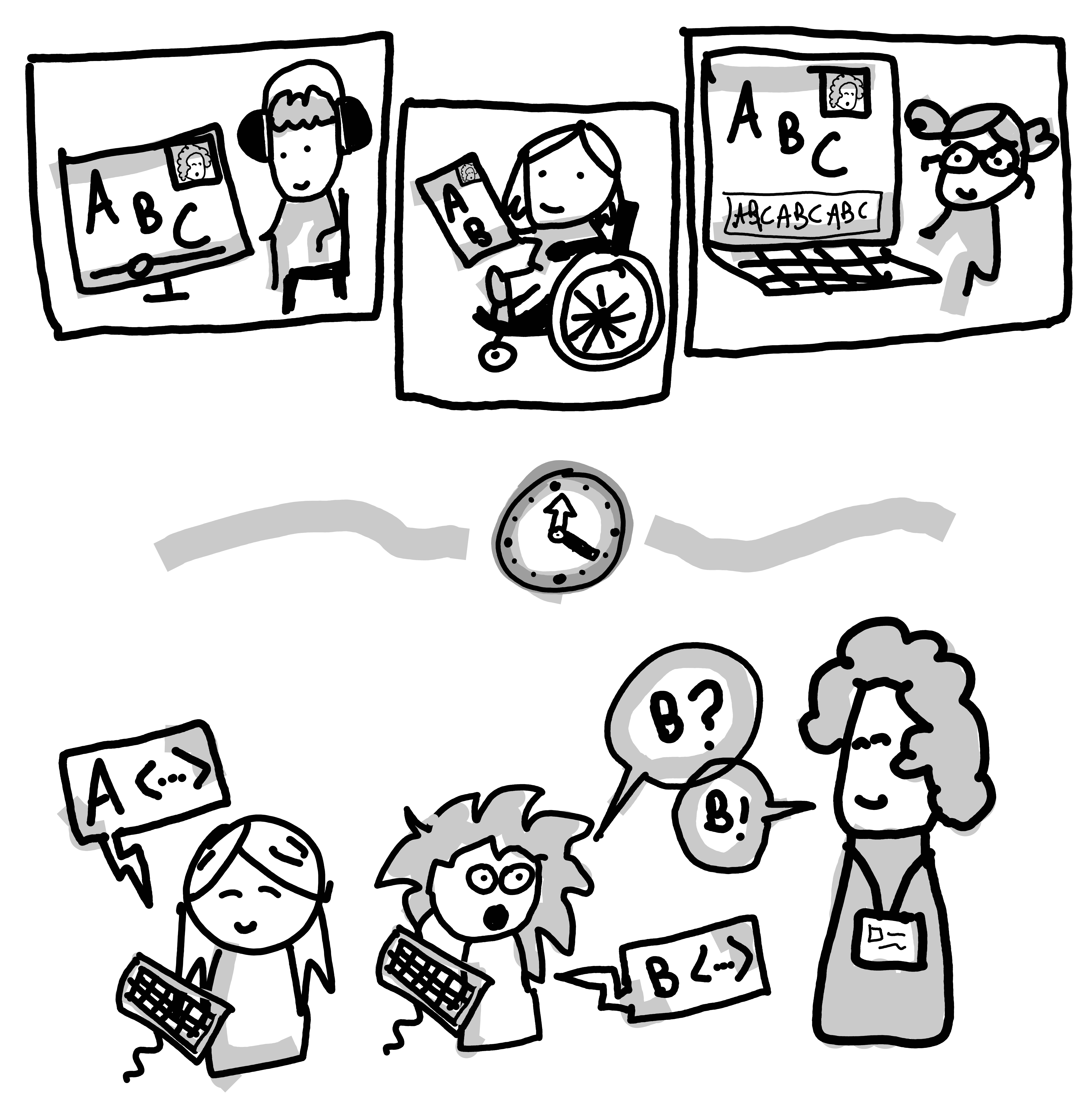
Having time between engaging with the flipped classroom materials and the in-person session enables students to identify any questions they have in advance, and it is important that materials are released well in advance of synchronous sessions to allow for meaningful engagement. In order to further ensure that students feel comfortable to ask questions, an anonymous question box could be introduced, which is used to guide the in-person sessions. However, if a student misunderstands something early on in the asynchronous teaching, this may lead them to misunderstand the rest of the topic, whereas they may have normally been able to clarify their understanding more immediately.
Students can engage with the asynchronous portion in a location they feel most comfortable. For some students with disabilities, traditional lecture theaters may not be accessible, for example because of the fluorescent lighting or seating options. However, whilst the lecture portion may be more accessible using a flipped classroom model, the practical portion may be less accessible, as they are often centered on working as a group. Group activities have been shown to not necessarily result in long-term learning for neurodivergent students, and they may prove overwhelming or impose an additional cognitive burden on some students (Durgungoz & Durgungoz, 2025). Some students, particularly those who are less confident in the course materials may also feel unprepared to engage in group discussions, if they have not fully understood the material for example.
One way to support students in group activities is to center discussions around artefacts that students have prepared beforehand such as a solution to a coding challenge (Dusek et al., 2018). This helps students prepare for likely topics of discussion beforehand, and could be a motivator for some students to engage more diligently in the asynchronous work. Even if it is not desirable for students to complete all the practical work beforehand, it can be advantageous to provide practice exercises to help students prepare for the interactive session to both help students prepare and let them know what to expect.
Framing either in-class or preparatory practical exercises as Parson’s problems or as part of a series of ‘fading’ activities may also be beneficial. In some settings, students could have the opportunity to engage in the development of an artefact via coding challenges with the in-person session becomes the lab session, as described above. If these are designed well, they may incorporate components of pair programming, and stimulate deep learning through the integration of theory and practice with the support of the module staff. Providing material online and in advance provides an opportunity to ensure materials are accessible. For example, it is important to make sure that any recorded lectures or demonstrations have captions available, and that there are image descriptions and audio description of what is displayed on screen. Resources such as the STEMM baseline accessibility guidance are a good starting place (Tyson, 2022).
Conclusion
There is no singular approach to teaching programming that will always be appropriate, regardless of whether you consider this from a pedagogical or accessibility standpoint. Here we have outlined six different approaches to teaching programming, and what attributes make them accessible, or not, to different groups of learners. The ideas presented are not meant to be exhaustive or prescriptive; indeed, some of the adaptations that we suggest for one method, may be precisely what you need to make a session accessible for a student even if you have made different pedagogical design choices. By outlining a range of approaches, we hope that this chapter will give educators the starting blocks they need to design sessions that give all their learners the best chance of success.